
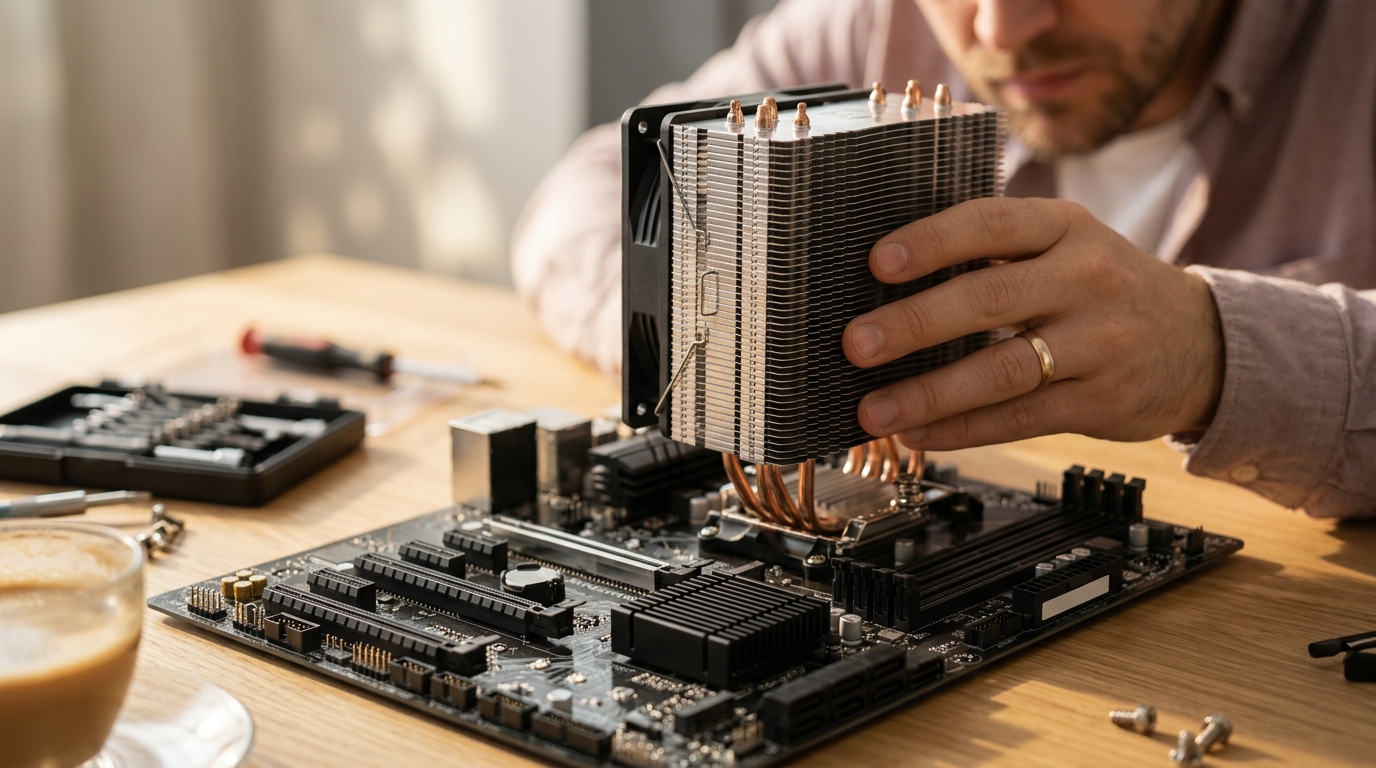
If you have ever opened a PC case and noticed multiple heatsinks on the motherboard, you may have wondered what each one does. Two of the most common cooling components are the CPU cooler and the chipset cooler, and while they both manage heat, they serve very different purposes. Understanding the distinction helps you choose the right parts, avoid overheating, and build a more reliable system. In this guide we break down how each cooler works, when you need to upgrade one, and how to pick the best option for your build.
What Is a CPU Cooler?
A CPU cooler is a dedicated thermal management device that attaches directly to the processor to draw heat away from the die and dissipate it into the surrounding air or liquid loop. Modern desktop processors can produce anywhere from 65 W to over 250 W of thermal output, so effective cooling is essential for stability and performance.
CPU coolers mount to the motherboard via socket-specific brackets. As Overclockers UK notes, the socket type is a critical factor in determining CPU cooler compatibility. Whether you choose an air tower or an all-in-one liquid unit, the cooler must match your processor's socket and TDP rating.
What Is a Chipset Cooler?
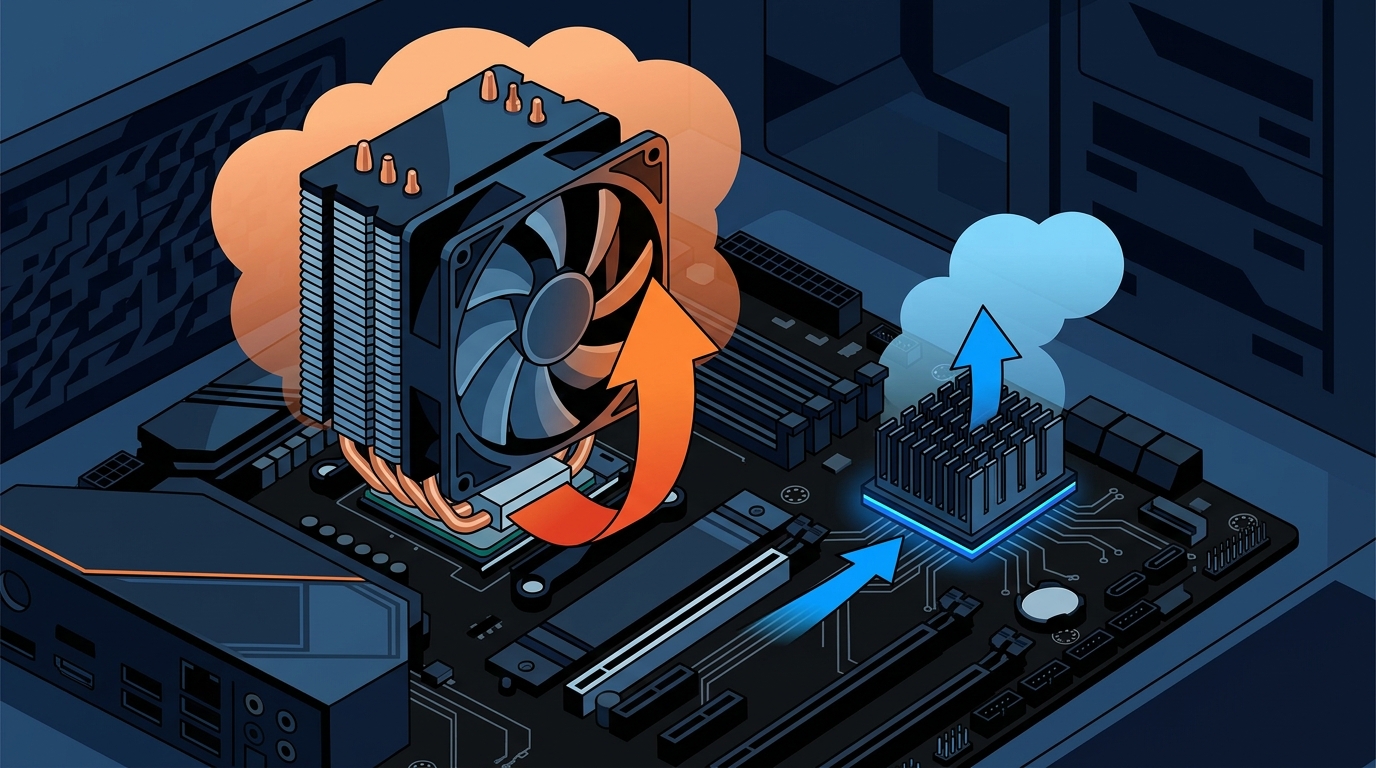
A chipset cooler is a smaller heatsink (sometimes with a tiny fan) that sits on the motherboard's chipset IC. The chipset is the silicon that manages data flow between the CPU, storage, USB ports, PCIe lanes, and other peripherals. Because modern chipsets like AMD X670E or Intel Z790 can generate noticeable heat, manufacturers include passive or active cooling directly on the motherboard.
Unlike CPU coolers, chipset coolers are usually pre-installed by the motherboard maker and rarely need replacement. They handle far less thermal load, typically between 5 W and 15 W depending on the platform.
Key Differences at a Glance
| Feature | CPU Cooler | Chipset Cooler |
|---|---|---|
| Component Cooled | Processor (CPU) | Motherboard chipset IC |
| Typical TDP Range | 65 W to 250+ W | 5 W to 15 W |
| Size | Large (tower or radiator) | Small heatsink or mini-fan |
| Mounting | Socket-specific bracket | Pre-installed on motherboard |
| Cooling Type | Air tower, AIO liquid, custom loop | Passive heatsink or small active fan |
| User Replaceable | Yes, commonly upgraded | Rarely replaced by end users |
| Price Range | $15 to $200+ | $5 to $25 (aftermarket) |
Thermal Demands: Why CPUs Need More Cooling
The central processor is the hardest-working chip in your system. Under sustained loads like video rendering, compiling code, or gaming, a CPU can reach its thermal limit in seconds without adequate cooling. Thermal Design Power (TDP) is the maximum amount of heat that a CPU cooler is designed to dissipate, and matching or exceeding this rating is crucial.
Chipsets, on the other hand, run much cooler. They shuffle data rather than performing intensive calculations. Good overall case airflow is often enough to keep a chipset within safe limits. Upgrading chipset cooling is typically only necessary in overclocking scenarios or in cases with very restricted ventilation.
Role of Thermal Paste
Both CPU coolers and chipset coolers rely on thermal interface material (TIM) to bridge microscopic gaps between the chip and the heatsink. A high-quality thermal paste spreader ensures even application for maximum conductivity. For CPU coolers, fresh thermal paste like the ARCTIC MX-6 can lower temperatures noticeably.
Types of CPU Coolers
Air Coolers
Air coolers use a metal heatsink with heat pipes and one or more fans. They are affordable, reliable, and easy to maintain. Tower-style air coolers commonly range from 120 mm to 160 mm in height. Browse a wide selection of CPU coolers at AAAwave to find options for Intel and AMD sockets.
AIO Liquid Coolers
An AIO (all-in-one) liquid cooler is a sealed-loop system with a pump, water block, radiator, and fans. AIO coolers deliver excellent cooling for high-TDP processors while operating more quietly than many air alternatives. AAAwave stocks popular models in its AIO cooler collection, including 240 mm, 280 mm, and 360 mm radiator sizes.
Custom Loops
Custom or open-loop cooling setups offer the highest performance but cost significantly more. They allow cooling of the CPU, GPU, and even the chipset within a single loop. These are best suited for extreme overclockers and enthusiast builders.
When to Upgrade Your Chipset Cooler
Most users never need to touch their chipset cooler. The stock heatsink on a quality motherboard handles typical workloads without issue. However, there are a few scenarios where an aftermarket chipset cooler makes sense:
- Heavy overclocking that increases data throughput through the chipset.
- Poor case airflow where ambient temperatures inside the chassis climb above 45 degrees Celsius.
- Compact SFF builds with minimal ventilation around the motherboard.
- Server or workstation use with sustained 24/7 operation. Products like the ARCTIC cooling lineup at AAAwave include small-form-factor options for demanding environments.
Key Takeaways
- A CPU cooler manages the processor's heat output, which can exceed 250 W in high-end chips.
- A chipset cooler handles the motherboard chipset, which rarely exceeds 15 W of thermal output.
- CPU coolers are user-replaceable and available as air towers, AIOs, or custom loops.
- Chipset coolers come pre-installed on motherboards and seldom require aftermarket replacement.
- Matching your CPU cooler's TDP rating to your processor is critical for avoiding thermal throttling.
- Good case airflow benefits both CPU and chipset temperatures significantly.
- Thermal paste quality matters for both cooler types; premium compounds like ARCTIC MX-6 improve heat transfer.
Frequently Asked Questions
Can I use a CPU cooler on a chipset?
No. CPU coolers are far too large and use socket-specific mounting hardware that does not fit a chipset. Chipset coolers are purpose-built with smaller heatsinks and different attachment methods.
Does my chipset cooler need a fan?
Most modern chipsets use a passive heatsink. Some higher-end chipsets, like the AMD X570, included a small active fan. Newer generations such as X670E and B650 have returned to passive designs with improved heatsink surface area.
How do I know if my CPU cooler is good enough?
Check your processor's TDP rating and compare it to the cooler's rated capacity. If your CPU temperatures exceed 90 degrees Celsius under load, consider upgrading to a higher-capacity air cooler or an AIO liquid cooler.
What happens if a chipset overheats?
An overheating chipset can cause USB disconnects, storage slowdowns, and system instability. In extreme cases, the motherboard may shut down to protect itself. Ensuring adequate case airflow usually prevents this.
Are CPU coolers universal?
Not entirely. While many aftermarket coolers include mounting brackets for multiple Intel and AMD sockets, you must verify socket compatibility before purchasing. Check product specifications for supported sockets like AM5, LGA 1700, or LGA 1851.
Do chipset coolers use thermal paste?
Yes. A thin layer of thermal paste or a pre-applied thermal pad sits between the chipset die and the heatsink. If you remove a chipset cooler for any reason, you should reapply fresh thermal compound before reattaching it.
How often should I replace thermal paste on my CPU cooler?
Most high-quality thermal pastes last 3 to 5 years before drying out. If you notice rising CPU temperatures over time, cleaning and reapplying thermal paste is a simple and effective fix.
Find the Right Cooler for Your Build
Whether you need a powerful AIO liquid cooler for a high-TDP processor or a compact heatsink for a server chipset, AAAwave carries a full range of cooling solutions with fast shipping from the USA. Shop CPU coolers at AAAwave today and keep your system running cool and stable.