

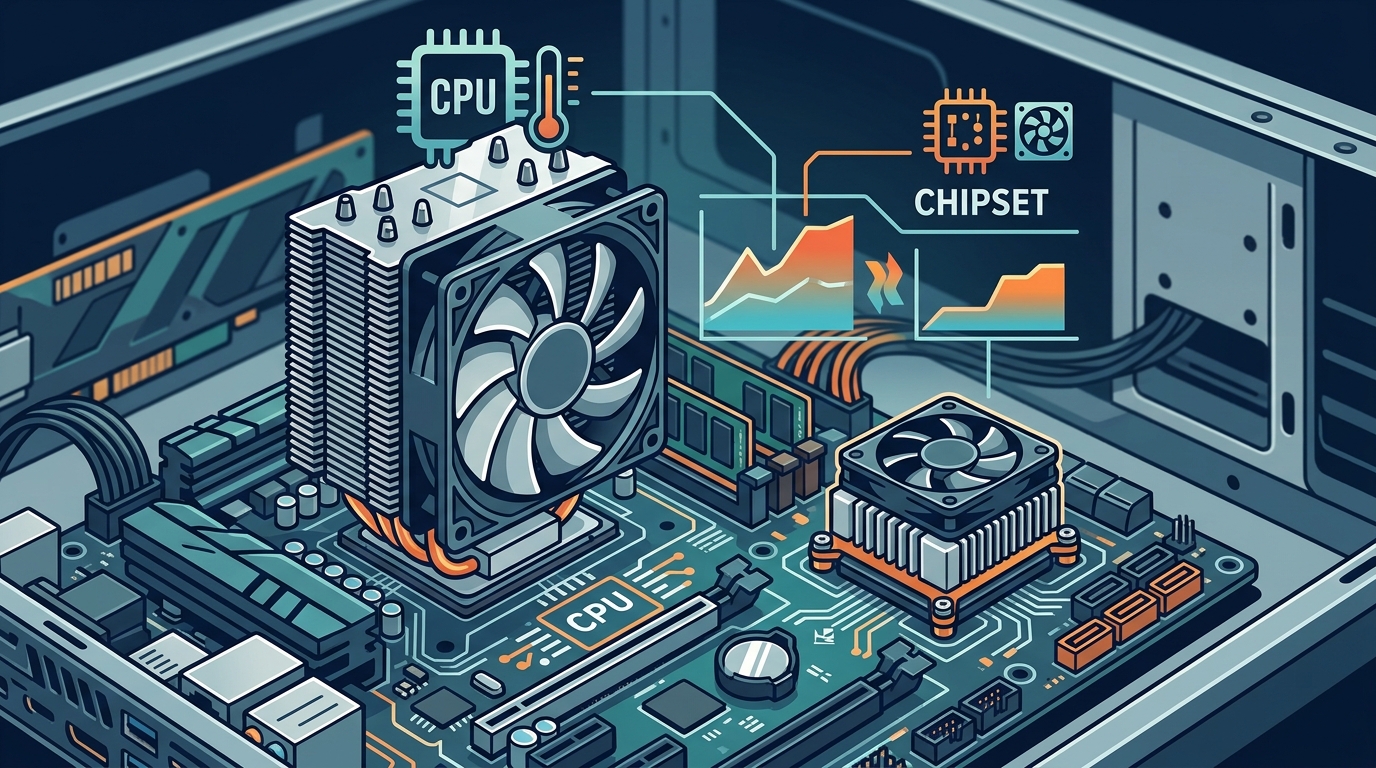
If you have ever opened a PC case, you have probably noticed more than one heatsink sitting on the motherboard. Two of the most common cooling components are the CPU cooler and the chipset cooler, yet many builders confuse them or assume they are interchangeable. Understanding the difference between these two coolers is essential for building a stable, long-lasting system. In this guide we break down what each cooler does, how they differ in size and thermal demands, and how to pick the right one for your next build.
What Is a CPU Cooler?
A CPU cooler is a thermal management device that sits directly on the processor to draw heat away from the die and dissipate it into the surrounding air or liquid loop. Modern processors can produce anywhere from 65 W to over 250 W of thermal energy under load, so effective cooling is critical to avoid throttling and instability.
CPU coolers attach to the motherboard via a socket-specific mounting mechanism. They use thermal paste between the processor's integrated heat spreader (IHS) and the cooler's base plate to maximize heat transfer. Common form factors include tower air coolers, top-blow (downdraft) coolers, and all-in-one (AIO) liquid coolers.
What Is a Chipset Cooler?
A chipset cooler is a smaller heatsink or fan assembly mounted on the motherboard's chipset, the silicon chip that manages data flow between the CPU, RAM, storage, and expansion slots. Chipsets such as Intel's Z790 or AMD's X670E typically produce between 5 W and 15 W of heat, far less than a processor.
Most chipset coolers are passive aluminum heatsinks integrated into the motherboard design. Higher-end boards sometimes include a tiny active fan. Replacement chipset coolers, like the Dynatron V35G, use compact 50 mm fans and are also used on VGA and bridge chips.
Side-by-Side Comparison
| Feature | CPU Cooler | Chipset Cooler |
|---|---|---|
| Primary component cooled | Processor (CPU) | Motherboard chipset |
| Typical TDP range | 65 W – 250+ W | 5 W – 15 W |
| Common cooling method | Air tower, AIO liquid, custom loop | Passive heatsink or small fan |
| Size | 92 mm – 160+ mm tall | 30 mm – 55 mm wide |
| Mounting | Socket-specific bracket or backplate | Push-pins or screws on PCB |
| User replaceable? | Yes, wide aftermarket selection | Rarely; usually soldered or clipped |
| Noise contribution | Moderate to high under load | Minimal (often silent/passive) |
Thermal Demands and TDP
Thermal Design Power (TDP) is the maximum amount of heat a component is expected to generate under sustained workloads. A CPU's TDP directly determines what class of cooler you need. For example, a 125 W desktop chip requires a cooler rated for at least that wattage, while a server-grade processor like the AMD EPYC line may need specialized solutions such as the Dynatron A52 vapor chamber cooler rated for up to 140 W.
Chipsets, by contrast, rarely exceed 15 W. Their passive heatsinks rely on general case airflow from case fans to stay within safe temperatures. As long as your chassis has reasonable ventilation, the chipset heatsink included with your motherboard will do the job.
Types of CPU Coolers
Air Coolers
Air coolers use a metal heatsink, typically aluminum fins with copper heat pipes, paired with one or two fans. They range from compact low-profile models like the Arctic Alpine 17 LP for slim cases to large dual-tower designs for overclocked builds. Air coolers are affordable, reliable, and require zero maintenance.
AIO Liquid Coolers
An AIO (all-in-one) liquid cooler is a sealed unit that circulates coolant from a CPU-mounted water block through a radiator. Radiator sizes of 240 mm, 280 mm, and 360 mm are common. AIO coolers offer superior heat dissipation for high-TDP processors and keep noise levels lower than comparable air coolers at full load, according to testing by Tom's Hardware.
Custom Loop Cooling
Custom loops let you route tubing to cool the CPU, GPU, and even RAM in a single circuit. They deliver the best thermal performance but come at a significantly higher cost and complexity. This approach is generally reserved for enthusiasts and professional workstations.
When Chipset Cooling Actually Matters
In most desktop builds, the chipset heatsink is a set-it-and-forget-it component. However, there are scenarios where inadequate chipset cooling can cause problems:
- High PCIe lane usage: Running multiple NVMe SSDs and add-in cards pushes more data through the chipset, increasing heat output.
- Poor case airflow: A case with no intake or exhaust fans can trap hot air around the motherboard, raising chipset temperatures above safe limits.
- Server and mining rigs: Continuous 24/7 loads in enclosed environments may warrant an active chipset fan or aftermarket replacement cooler.
If your chipset temperatures consistently exceed 80 °C under load, improving case ventilation or adding a small spot-cooling fan is a low-cost fix. A quality thermal compound reapplication between the chipset and its heatsink can also help.
Key Takeaways
- A CPU cooler handles the processor's high heat output (65 W to 250+ W), while a chipset cooler manages the motherboard chipset's modest thermal load (5 W to 15 W).
- CPU coolers come in air, AIO liquid, and custom loop varieties; chipset coolers are almost always passive heatsinks.
- TDP is the primary specification to match when selecting a CPU cooler.
- Chipset coolers are usually built into the motherboard and rarely need replacement.
- Good case airflow benefits both CPU and chipset temperatures simultaneously.
- Server and high-lane-count workloads are the main scenarios where active chipset cooling becomes important.
- Thermal paste quality affects both CPU and chipset cooling efficiency.
Frequently Asked Questions
Can I use a CPU cooler on a chipset?
No. CPU coolers are designed for specific CPU socket mounting holes and are far too large for a chipset. Chipset coolers use smaller mounting points directly on the motherboard PCB.
Do all motherboards come with a chipset cooler?
Most modern ATX and Micro-ATX motherboards include a pre-installed passive chipset heatsink. Budget boards occasionally omit one if the chipset runs cool enough without it.
What happens if my chipset overheats?
An overheating chipset can cause USB disconnections, NVMe drive throttling, system instability, and in extreme cases, data corruption. Improving case airflow is the easiest remedy.
How do I know which CPU cooler fits my processor?
Check the CPU socket type (e.g., LGA 1700, AM5) and the processor's TDP rating. Then match those specs against the cooler's supported sockets and wattage rating. Aftermarket coolers typically list compatible sockets on the product page.
Is liquid cooling better than air cooling for a CPU?
Liquid AIO coolers generally offer lower peak temperatures and quieter operation under heavy loads compared to air coolers at a similar price point. However, quality tower air coolers can match mid-range AIOs and require no maintenance.
Do chipset coolers need thermal paste?
Yes. A thin layer of thermal paste or a pre-applied thermal pad sits between the chipset die and its heatsink. If you remove the heatsink for any reason, you should reapply thermal compound before reinstalling it.
Can poor chipset cooling affect gaming performance?
In most gaming scenarios the chipset runs well within safe temperatures. Performance impacts are unlikely unless your NVMe boot drive throttles due to chipset heat, which is rare with adequate case ventilation.
Where can I buy CPU coolers and chipset coolers online?
Retailers that specialize in PC components, like AAAwave's CPU cooler collection, carry a wide selection of air coolers, AIO liquid coolers, and replacement chipset fans from brands such as Arctic, Dynatron, and Corsair.
Find the Right Cooler for Your Build
Whether you need a high-performance AIO for an overclocked gaming rig or a compact air cooler for a quiet workstation, AAAwave stocks trusted brands at competitive prices with fast US shipping. Browse the full CPU cooler catalog to find the perfect match for your processor and case today.