
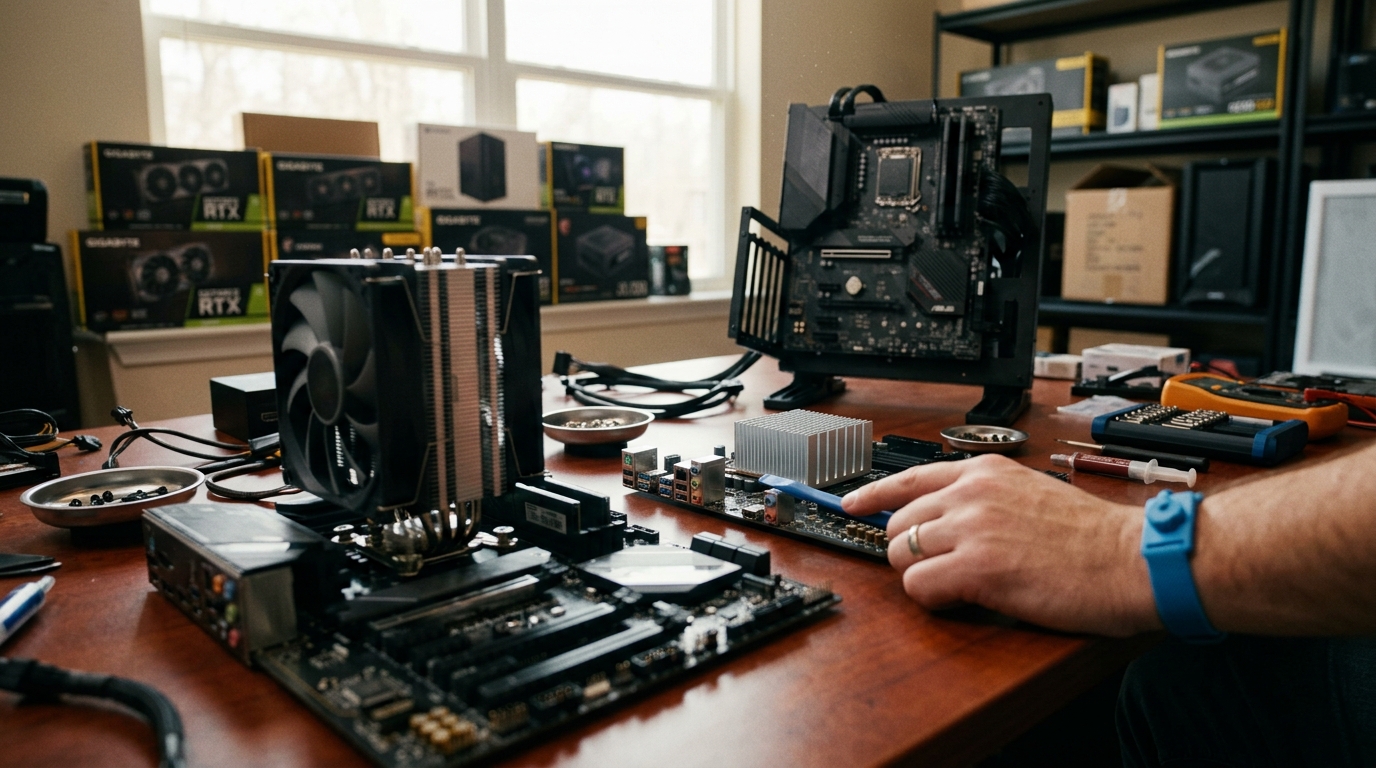
If you have ever opened a PC case and noticed multiple heatsinks and fans scattered across the motherboard, you may have wondered which cooler does what. Two of the most commonly confused cooling components are the CPU cooler and the chipset cooler. While both exist to dissipate heat and protect your hardware, they serve very different parts of the system, handle vastly different thermal loads, and come in different form factors. Understanding these differences is essential whether you are building a gaming rig, a workstation, or a compact home-theater PC. Below, we break down exactly how these two coolers compare.
What Is a CPU Cooler?
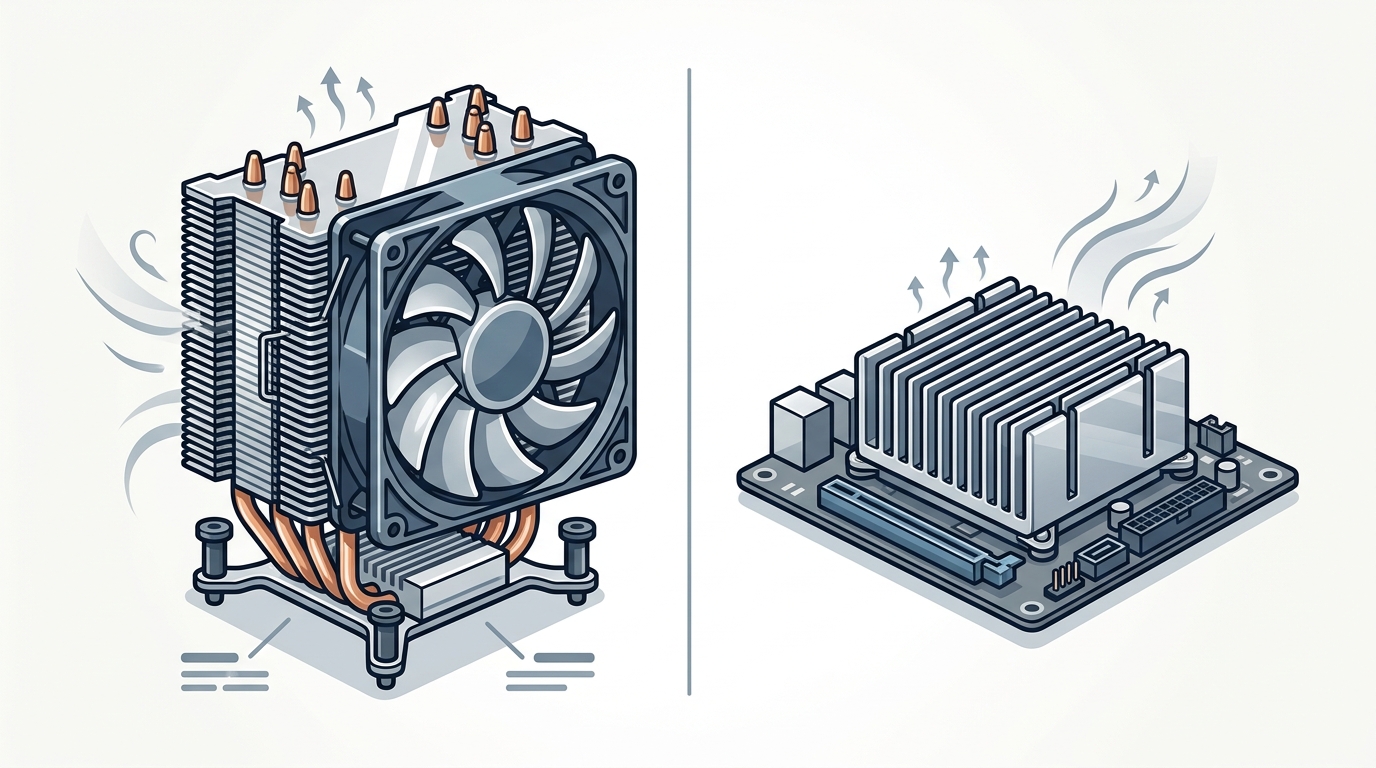
A CPU cooler is a dedicated thermal management device that sits on top of the processor to draw heat away from its integrated heat spreader (IHS). According to Intel's cooling guide, heat from the processor transfers through applied thermal paste into a conductive baseplate, then moves through heat pipes or liquid to a fan or radiator where it is expelled from the system.
CPU coolers come in three main categories: air coolers (tower and top-blow designs), all-in-one (AIO) liquid coolers, and custom open-loop setups. AAAwave carries a wide selection of options, from budget-friendly air CPU coolers to premium AIO liquid coolers from brands like Arctic and Corsair.
Air Coolers
An air cooler is a heatsink-and-fan assembly that uses direct airflow over metal fins to dissipate heat. Tower-style air coolers elevate the heatsink via heat pipes, increasing surface area without consuming extra motherboard space. They are effective, affordable, and easy to install.
AIO Liquid Coolers
An AIO liquid cooler is a sealed, self-contained unit that circulates coolant between a CPU water block and a radiator. Radiator sizes range from 120 mm to 360 mm, and larger radiators generally provide better cooling headroom for overclocked processors.
What Is a Chipset Cooler?
A chipset cooler is a small heatsink (sometimes paired with a tiny fan) mounted on the motherboard's chipset, the controller hub that manages communication between the CPU, RAM, storage, USB ports, and PCIe lanes. Chipset coolers are far smaller than CPU coolers because the chipset generates significantly less heat.
Many modern motherboards include a passive aluminum or copper heatsink over the chipset. Higher-end boards, especially those with the AMD X670E or Intel Z790 chipsets, may add a small active fan. Products like the Dynatron V31G chipset cooler available at AAAwave serve as direct replacements for worn-out or underperforming chipset fans.
Side-by-Side Comparison
| Feature | CPU Cooler | Chipset Cooler |
|---|---|---|
| Component Cooled | Central Processing Unit (CPU) | Motherboard chipset (PCH / FCH) |
| Typical TDP Range | 65 W to 250+ W | 5 W to 15 W |
| Common Types | Tower air, top-blow, AIO liquid, custom loop | Passive heatsink, small active fan |
| Size | 90 mm to 160+ mm tall | 30 mm to 50 mm tall |
| Mounting | Socket-specific bracket or backplate | Push-pins or screws on motherboard |
| User Upgradeable? | Yes, wide aftermarket selection | Rarely; usually integrated into motherboard |
| Price Range | $15 to $200+ | $5 to $25 |
Thermal Loads and TDP
The biggest difference between these two coolers is the thermal load they must handle. A modern desktop CPU can have a TDP of 125 W or higher under sustained workloads, while high-end server processors may exceed 250 W. The CPU cooler must be rated to match or exceed this output to prevent thermal throttling.
In contrast, motherboard chipsets typically consume between 5 W and 15 W. The AMD X670E chipset, for example, draws roughly 10 to 12 W. Because of this low power draw, a simple passive heatsink is usually sufficient. However, in cramped cases with poor airflow, even a low-wattage chipset can overheat, causing USB dropouts or storage instability.
Why TDP Matching Matters
Thermal Design Power (TDP) is the maximum amount of heat a cooling solution needs to dissipate under typical load. Pairing a 65 W-rated cooler with a 125 W processor will likely cause overheating and performance loss. Always check TDP compatibility before purchasing a CPU cooler.
Form Factors and Installation
CPU coolers require socket-specific mounting hardware. Aftermarket coolers typically ship with multiple bracket kits for Intel LGA 1700, LGA 1851, AMD AM4, and AM5 sockets. Installation involves applying thermal paste, securing a backplate behind the motherboard, and fastening the cooler with screws or clips.
Chipset coolers, on the other hand, are pre-installed by the motherboard manufacturer and rarely require user intervention. If replacement is needed, small fan-and-heatsink units like the Dynatron V35G can fit many chipset and VGA card applications with simple push-pin or screw mounts.
When to Upgrade Each Cooler
Upgrading Your CPU Cooler
Consider upgrading your CPU cooler if you plan to overclock, if your current temperatures exceed 85 °C under load, or if you are moving to a higher-TDP processor. A tower cooler or 240 mm AIO will handle most mainstream CPUs comfortably. For workstation and server builds, specialized solutions like the Dynatron Q2 for Intel LGA 1700/1851 provide reliable cooling in rack environments.
Upgrading Your Chipset Cooler
Chipset cooler upgrades are far less common. You might need one if the stock chipset fan fails (a known issue on some older X570 boards) or if you notice elevated chipset temperatures in monitoring software. Replacing the fan or adding a small aftermarket heatsink with a thermal pad usually solves the problem.
Improving Overall Airflow
Sometimes the best fix is better case fans. Good front-to-back airflow lowers ambient case temperatures, benefiting both the CPU and chipset simultaneously.
Key Takeaways
- A CPU cooler removes heat from the processor and must handle TDP ratings of 65 W to 250+ W.
- A chipset cooler manages heat from the motherboard's chipset, typically only 5 to 15 W.
- CPU coolers come in air, AIO liquid, and custom loop varieties; chipset coolers are usually passive heatsinks.
- Always match your CPU cooler's TDP rating to your processor to avoid thermal throttling.
- Chipset coolers rarely need upgrading unless the stock fan fails or case airflow is poor.
- Proper thermal paste application improves heat transfer for both CPU and chipset coolers.
- Good case airflow benefits every component, reducing the burden on individual coolers.
Frequently Asked Questions
Can I use a CPU cooler on my chipset?
No. CPU coolers are designed for specific CPU sockets and are far too large for a chipset. Chipset heatsinks use different mounting points and much smaller form factors.
Do all motherboards have a chipset cooler?
Most modern motherboards include at least a passive heatsink on the chipset. Budget boards may use a minimal aluminum block, while high-end boards may include an active fan or heat-pipe-connected heatsink.
What happens if my chipset overheats?
An overheating chipset can cause USB device disconnections, NVMe drive throttling, audio glitches, and general system instability. In extreme cases the system may shut down to protect itself.
Is an AIO liquid cooler better than an air cooler for my CPU?
Both are effective. AIO coolers tend to offer lower peak temperatures and quieter operation at high loads, while air coolers are simpler, more affordable, and have no risk of pump failure. Your choice depends on budget, case clearance, and noise preference.
How do I know if my CPU cooler is adequate?
Monitor your CPU temperature under load using software like HWMonitor or Core Temp. If temperatures consistently exceed 85 to 90 °C, your cooler may be insufficient or thermal paste may need reapplication.
Can I replace a chipset fan myself?
Yes. Most chipset fans are held by small screws or push-pins. Remove the old fan, clean the thermal interface material, apply a fresh thermal pad, and secure the replacement. Small 40 to 50 mm fans or passive heatsinks work well.
Does the chipset cooler affect gaming performance?
In most cases, no. The chipset handles I/O traffic rather than direct computation. However, if the chipset throttles due to heat, you may see stuttering from NVMe drives or USB peripherals dropping out during gameplay.
Where can I buy CPU and chipset coolers?
AAAwave stocks a broad range of CPU coolers, AIO liquid coolers, and chipset cooling accessories from trusted brands like Arctic, Dynatron, and Corsair, all with competitive pricing and fast U.S. shipping.
Find the Right Cooler for Your Build
Whether you need a high-performance AIO for an overclocked gaming CPU or a simple replacement fan for your motherboard chipset, AAAwave has you covered. Browse CPU coolers and chipset coolers at AAAwave and enjoy fast shipping across the USA.