
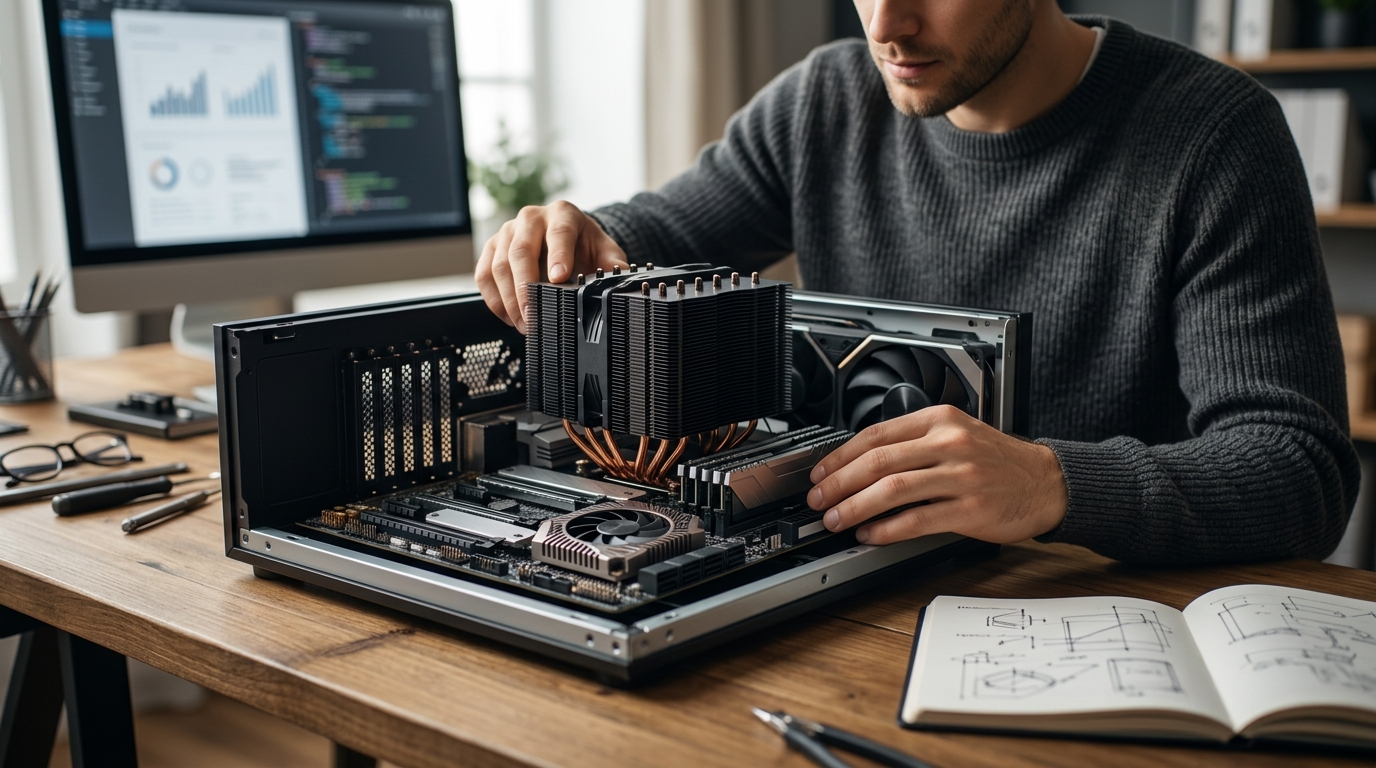
Modern computing systems generate substantial thermal output during intensive workloads. Industry data shows that high-performance processors can easily exceed one hundred twenty watts under sustained load. This intense heat requires precise thermal management to prevent hardware degradation. Understanding the distinct roles of cooling solutions ensures optimal system stability. Readers seeking reliable components can explore our CPU Coolers and Chipset Cooler collections to match their specific build requirements. Proper thermal planning directly impacts longevity and consistent performance. (Collections ndash AAAWave)
Core Thermal Definitions
Thermal management forms the backbone of modern electronics. A CPU cooler is a thermal management device designed to dissipate heat generated by a central processing unit. These units typically combine metal heat sinks with active fans or liquid circulation loops. A chipset cooler is a passive or active heat sink mounted directly over the motherboard northbridge or southbridge to regulate chipset temperatures. These components handle input output routing and peripheral communication. A thermal interface material is a conductive compound applied between a heat source and a cooling solution to eliminate air gaps. Proper application ensures maximum heat transfer efficiency across all components. (Computer Accessories amp PC)
Defining the Primary Heat Sources
The central processing unit executes billions of calculations per second. This computational density creates concentrated thermal pockets. The motherboard chipset manages data flow between the processor, memory, and expansion slots. Modern chipsets operate at significantly lower power thresholds than main processors. This power disparity dictates distinct cooling strategies for each component. (AI Computers amp Workstations)
Functional Mechanics and Design
Cooling architectures differ based on heat density and spatial constraints. Active CPU cooling solutions utilize forced air convection or liquid circulation. High-end models incorporate vapor chamber technology to distribute heat evenly across copper base plates. These systems require precise airflow routing through the computer case. Chipset cooling relies on passive aluminum or copper fins. Some premium motherboards integrate small low-profile fans to assist passive dissipation. The mechanical design prioritizes compactness over raw cooling capacity. (Access Point ndash AAAWave)
Material Composition and Heat Transfer
Copper and aluminum remain the standard materials for both cooling categories. Copper offers superior thermal conductivity for high-wattage processors. Aluminum provides cost-effective weight reduction for chipset applications. Manufacturers often combine both metals to balance performance and manufacturing costs. The surface finish directly influences contact quality with the underlying silicon die.
Physical Differences and Mounting
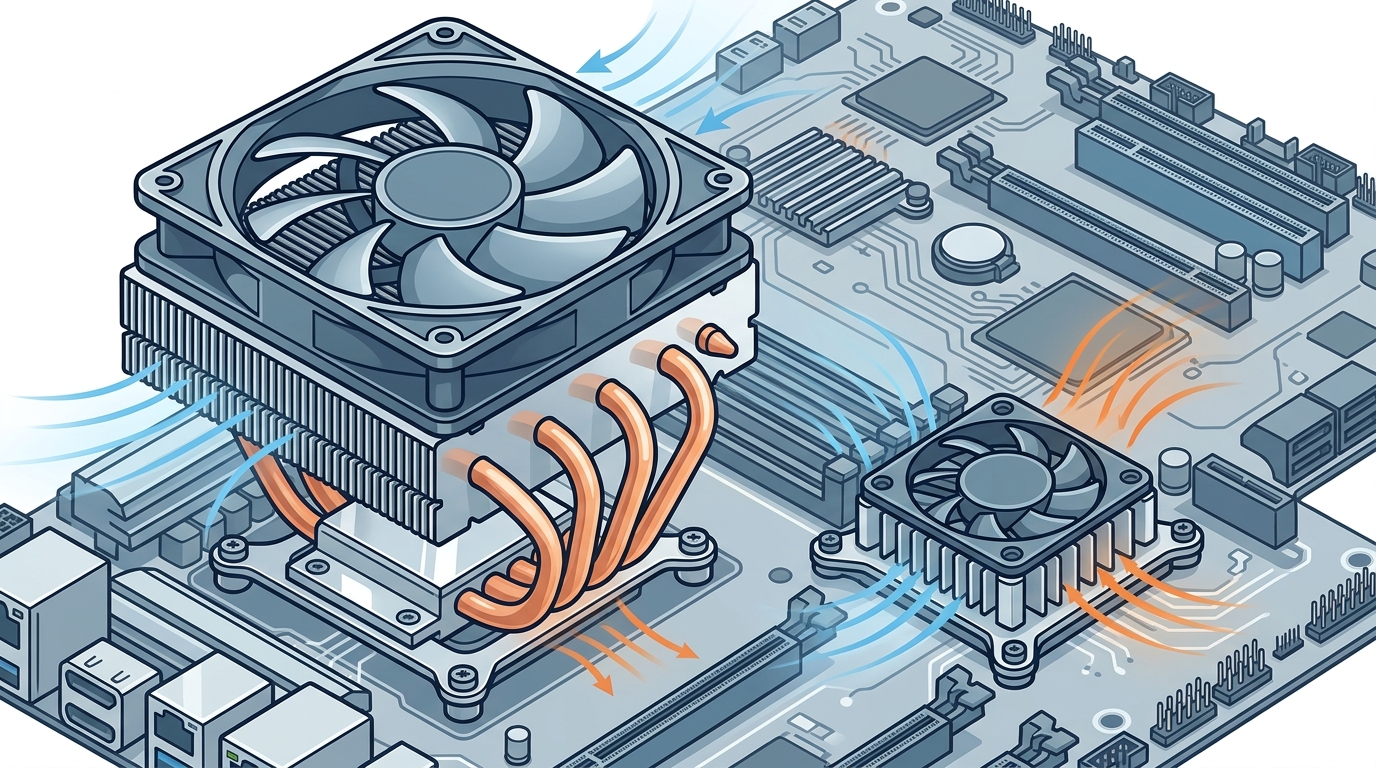
Physical dimensions dictate installation complexity and case compatibility. CPU coolers occupy substantial vertical clearance above the memory slots. Tower designs require careful measurement to avoid interference with RAM modules. AIO liquid cooling loops route tubing to radiator mounts on the case chassis. Chipset coolers feature low-profile rectangular footprints. They attach directly to the motherboard PCB using small screws or adhesive pads. This compact form factor preserves airflow pathways for graphics cards and expansion cards.
Mounting Hardware and Compatibility
Mounting mechanisms vary significantly between component categories. CPU coolers utilize universal bracket systems compatible with multiple socket generations. These brackets distribute clamping force evenly across the processor substrate. Chipset coolers employ proprietary retention clips or standard motherboard standoff holes. Compatibility checks remain essential before purchasing replacement units. Always verify socket support and physical clearance before installation.
Thermal Output Comparison
Heat generation rates determine the required cooling capacity for each component. Processors routinely operate between ninety degrees and one hundred five degrees Celsius under maximum load. Chipsets typically maintain operating temperatures between sixty degrees and eighty degrees Celsius. This temperature differential allows chipset solutions to rely on passive dissipation. Active chipset fans activate only during extreme overclocking scenarios. The thermal design power specifications guide appropriate component selection.
Performance Impact and System Stability
Inadequate cooling triggers thermal throttling mechanisms. The processor reduces clock speeds to prevent permanent damage. System responsiveness drops noticeably during sustained heavy workloads. Chipset overheating causes peripheral connectivity errors and storage latency spikes. Both components require adequate thermal headroom to maintain peak performance. Regular maintenance prevents dust accumulation from degrading heat transfer efficiency.
Installation Requirements
Proper installation procedures guarantee long-term reliability and optimal heat dissipation. CPU cooler installation demands precise bracket alignment and even pressure distribution. Technicians must apply the correct thermal compound thickness to avoid air pockets. Chipset cooler installation focuses on secure mechanical attachment and PCB protection. Both processes require careful handling to prevent static discharge damage. Following manufacturer guidelines ensures warranty compliance and optimal performance.
Maintenance and Longevity Considerations
Regular inspection prevents premature component failure. Dust accumulation insulates heat sinks and reduces airflow efficiency. Liquid cooling loops require periodic fluid checks and pump maintenance. Fan bearings degrade over time and produce audible noise. Replacing worn components restores original cooling performance. Proactive maintenance extends the operational lifespan of all hardware.
Component Comparison Overview
| Feature | CPU Cooler | Chipset Cooler |
|---|---|---|
| Primary Function | Dissipates high-density processor heat | Regulates motherboard data routing temperatures |
| Typical Power Draw | 65 to 250 watts | 15 to 45 watts |
| Common Design | Tower fans or liquid loops | Passive aluminum fins |
| Mounting Method | Universal bracket systems | Proprietary clips or standoff screws |
| Case Clearance | Requires significant vertical space | Compact low-profile footprint |
Key Takeaways
- CPU coolers manage high-density heat generated by active computational processes.
- Chipset coolers regulate lower thermal output from motherboard data routing components.
- Active CPU solutions require substantial case clearance and precise airflow routing.
- Passive chipset designs prioritize compactness and unobstructed expansion card access.
- Thermal interface compounds eliminate microscopic air gaps for maximum conductivity.
- Regular maintenance prevents dust accumulation and restores original cooling efficiency.
- Proper component matching ensures system stability and prevents thermal throttling.
Frequently Asked Questions
Do I need an active fan for my chipset cooler?
Most modern motherboards utilize passive chipset cooling. Active fans activate only during extreme overclocking or heavy data transfer scenarios. Passive designs reduce acoustic noise and eliminate moving part failure risks.
Can I use a CPU cooler on a chipset socket?
Physical mounting mechanisms differ significantly between component categories. CPU coolers require universal bracket systems that do not align with chipset retention points. Attempting to force compatibility risks damaging the motherboard PCB.
How often should I replace thermal interface material?
High-quality compounds maintain effectiveness for three to five years. Performance degradation becomes noticeable when temperatures rise without workload changes. Reapplication restores optimal heat transfer efficiency across all components.
Does liquid cooling improve chipset temperatures?
Liquid cooling loops primarily target high-wattage processors and graphics cards. Chipset temperatures rarely exceed safe operational thresholds without active assistance. Dedicated liquid blocks for chipsets exist but offer minimal practical benefits.
What happens if a chipset cooler fails?
Chipset overheating causes peripheral connectivity errors and storage latency spikes. System stability drops noticeably during sustained heavy workloads. Replacing the cooling unit restores normal data routing performance.
Are aluminum chipset coolers inferior to copper?
Aluminum provides cost-effective weight reduction for chipset applications. Copper offers superior thermal conductivity for high-wattage processors. Manufacturers combine both metals to balance performance and manufacturing costs.
How do I measure vertical clearance for a CPU cooler?
Measure the distance from the motherboard surface to the top case panel. Subtract the height of your memory modules to determine available space. Tower designs require careful measurement to avoid interference with RAM slots.
Upgrade Your Build
Optimizing your thermal management strategy prevents hardware degradation and ensures consistent performance. Our comprehensive inventory features premium cooling solutions tailored for every build tier. Browse our Liquid Cooler and Thermal Compounds collections to find the perfect match. Visit our Gaming Computer and Graphics Cards sections to complete your system. Secure your components today and experience reliable performance.