

Modern computing relies on precise thermal management to maintain performance and hardware longevity. While many enthusiasts focus heavily on the central processing unit, the motherboard's chipset plays an equally critical role in system stability. Understanding the distinction between these two cooling solutions is essential for building a reliable PC. According to recent thermal engineering reports, improper heat dissipation in motherboard components can lead to a 15% reduction in sustained boost clock speeds during heavy workloads. This article breaks down the mechanical and functional differences between these cooling systems. (Computer Accessories amp PC)
What Is a CPU Cooler?
A CPU cooler is a dedicated thermal management device designed specifically to dissipate heat generated by the central processing unit. The CPU is often referred to as the brain of the computer because it handles the majority of complex calculations and instruction processing. This intense computational activity generates significant heat, which must be removed to prevent thermal throttling or permanent damage.
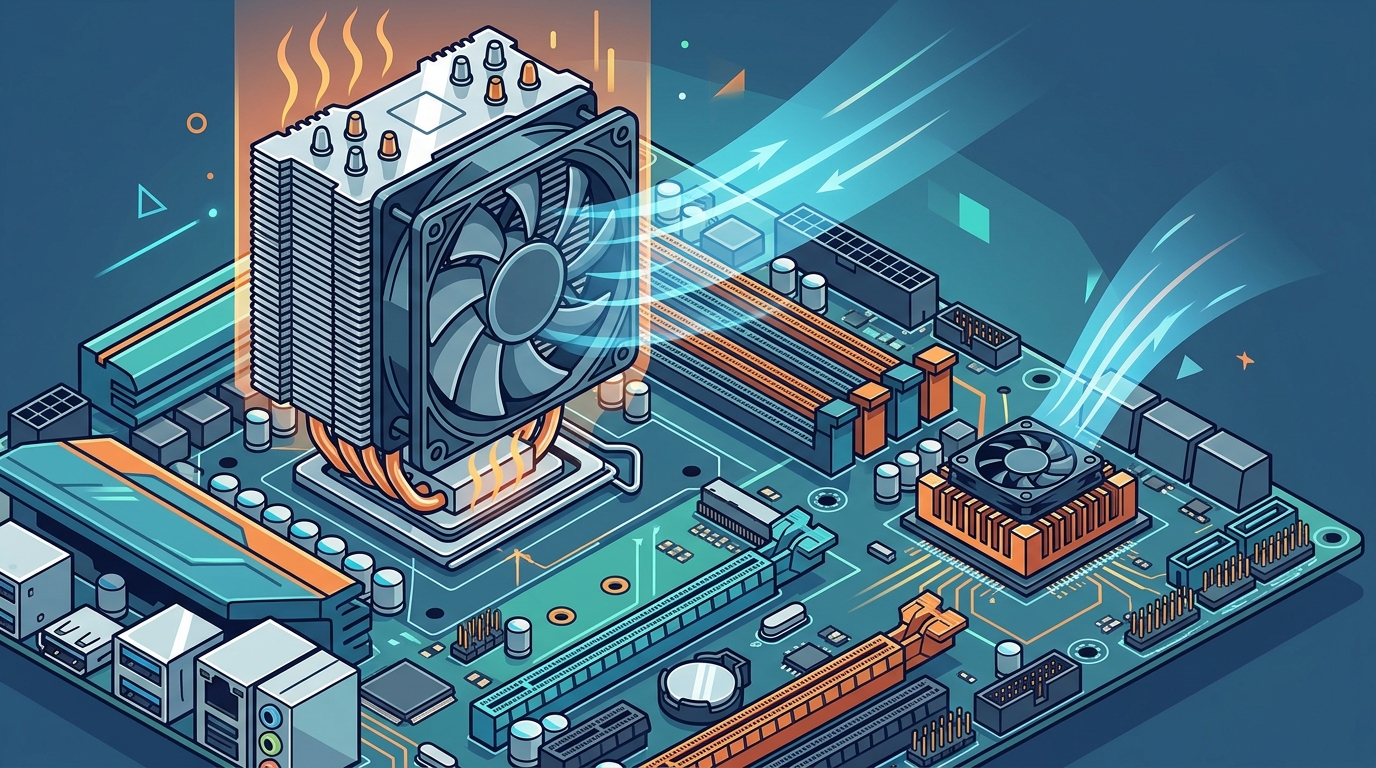
CPU coolers typically consist of a large aluminum or copper heatsink, one or more high-static pressure fans, and sometimes a liquid cooling loop. The primary goal is to move a massive volume of air across a large surface area to transfer heat away from the processor die. At AAAwave, we stock a variety of air and liquid cooling solutions to handle everything from office workloads to extreme overclocking.
The installation of a CPU cooler is a critical step in any PC build. It requires direct contact with the CPU socket, often using a mounting bracket specific to the processor manufacturer, such as Intel or AMD. Without an effective CPU cooler, modern processors will shut down within seconds of reaching their thermal limits.
What Is a Chipset Cooler?
A chipset cooler is a smaller thermal solution attached to the motherboard's chipset, also known as the PCH (Platform Controller Hub) or Southbridge. The chipset manages communication between the CPU, memory, storage devices, and peripheral interfaces like USB and PCIe slots. While it does not perform complex calculations like the CPU, it still generates heat due to constant data traffic and power regulation.
Chipset coolers are generally much smaller than CPU coolers. They often consist of a passive heatsink with a small fan, or sometimes just a passive heatsink in high-end motherboards. The design is optimized for space constraints on the motherboard PCB. You can find specialized chipset cooling accessories designed to fit specific motherboard form factors and chipset models.
The importance of chipset cooling has grown with the advent of faster storage technologies. Modern NVMe SSDs and high-speed PCIe 5.0 interfaces place additional load on the chipset, causing it to run hotter than previous generations. Effective cooling ensures that data transfer rates remain stable and prevents connectivity issues.
Key Differences in Design and Function
Thermal Load and Heat Output
The most significant difference lies in the amount of heat each component generates. A high-end CPU can easily dissipate 250 watts or more of thermal power under load. In contrast, a motherboard chipset typically generates between 10 and 30 watts of heat. This lower thermal load allows chipset coolers to be smaller and less complex. However, because the chipset is located in a confined area on the motherboard, heat can accumulate quickly if airflow is poor.
Physical Size and Mounting
CPU coolers are large, bulky components that often extend several inches above the motherboard. They require significant clearance from RAM sticks and the case walls. Chipset coolers are compact, usually no larger than a standard credit card, and sit directly on the motherboard near the PCIe slots. This size difference dictates their placement and the type of fans used. CPU coolers use high-airflow fans, while chipset coolers often use low-noise, low-RPM fans to minimize acoustic disturbance.
Impact on System Performance
Overheating a CPU leads to immediate performance drops as the processor reduces its clock speed to cool down. Chipset overheating has a more subtle but equally damaging effect. It can cause storage drives to disconnect, USB ports to fail, or PCIe devices to lose connection. According to hardware reliability studies, thermal stress on motherboard components is a leading cause of premature system failure in compact builds.
Comparison Table
The following table summarizes the core distinctions between CPU and chipset cooling solutions.
| Feature | CPU Cooler | Chipset Cooler |
|---|---|---|
| Primary Function | Cool the central processor | Cool the motherboard controller hub |
| Heat Output | High (100W to 300W+) | Low to Moderate (10W to 30W) |
| Physical Size | Large, bulky, tall | Small, compact, low profile |
| Fan Type | High-static pressure fans | Low-noise, small fans or passive |
| Failure Consequence | System crash or shutdown | Peripheral or storage failure |
| Installation Complexity | High, requires precise mounting | Low, often snap-on or screw-in |
Key Takeaways
- Thermal Load Disparity: CPUs generate significantly more heat than chipsets, requiring larger and more robust cooling solutions.
- Functionality: The CPU handles computation, while the chipset manages data flow between components like storage and peripherals.
- Failure Modes: CPU overheating causes immediate shutdowns, whereas chipset overheating leads to intermittent hardware failures.
- Size Constraints: Chipset coolers must be compact to fit within the dense layout of modern motherboards.
- Airflow Importance: Both components benefit from good case airflow, but the chipset is more susceptible to heat soak from nearby components.
- Upgrade Path: Upgrading a CPU cooler is common for performance gains, while chipset cooling is often an afterthought in budget builds.
- AAAwave Selection: We provide specialized cooling parts for both components to ensure complete system thermal stability.
Frequently Asked Questions
Do I need a chipset cooler if I have a good CPU cooler?
Yes, the two components are independent. A high-performance CPU cooler does not cool the chipset. The chipset requires its own dedicated thermal solution to prevent data errors and hardware instability.
Can I use a passive chipset cooler?
Passive chipset coolers are available and work well in systems with strong case airflow. However, in compact cases or high-load environments, an active fan is recommended to ensure consistent heat dissipation.
What happens if the chipset overheats?
Overheating can cause NVMe SSDs to throttle, USB devices to disconnect, and PCIe slots to malfunction. In severe cases, it can lead to motherboard damage over time.
Are chipset coolers universal?
No, chipset coolers vary in size and mounting hole patterns. You must check compatibility with your specific motherboard model before purchasing a replacement or upgrade.
Does overclocking the CPU affect chipset temperature?
Indirectly, yes. Overclocking increases overall system heat and power draw, which can raise the ambient temperature inside the case and affect the chipset's ability to dissipate heat.
How often should I clean my chipset cooler?
You should clean your chipset cooler every six months or when you perform general PC maintenance. Dust buildup can insulate the heatsink and reduce its effectiveness.
Is liquid cooling necessary for the chipset?
Liquid cooling for the chipset is rare and usually unnecessary. Air cooling or passive heatsinks are sufficient for the thermal output of modern chipsets. Custom loops typically focus on the CPU and GPU.
Conclusion
Understanding the difference between a CPU cooler and a chipset cooler is vital for building a stable and high-performing PC. While the CPU cooler handles the heavy lifting of thermal management, the chipset cooler ensures the integrity of data flow and peripheral connectivity. Neglecting either component can lead to system instability and reduced hardware lifespan.
At AAAwave, we offer a comprehensive range of cooling solutions to meet your specific needs. Whether you are looking for high-performance CPU coolers or specialized chipset cooling accessories, our catalog is designed to help you build the perfect system. Explore our collections today to find the right parts for your build.