
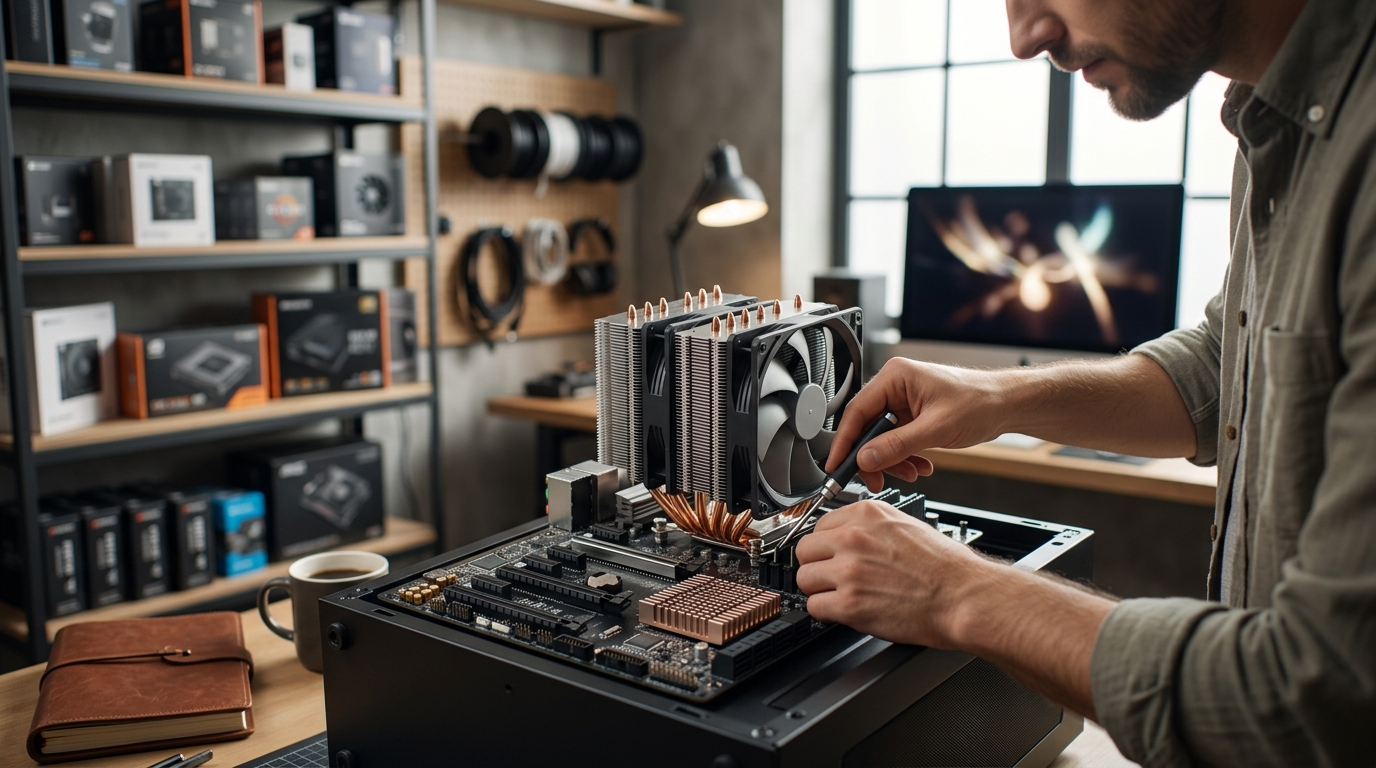
Modern computing relies on precise thermal management to maintain performance stability. Thermal management is the process of controlling the temperature of computer components. Without effective cooling, processors degrade in speed and lifespan. Many builders confuse the cooling solutions for the central processing unit with those for the motherboard chipset. Understanding this distinction is critical for system longevity. This guide clarifies the functional differences between these two cooling categories. (Computer Accessories amp PC)
CPU Cooler Function and Design
The central processing unit is the brain of the computer. It generates significant heat during high-load tasks. A CPU cooler is a dedicated thermal solution designed to dissipate heat from the processor. These units typically attach directly to the CPU socket. They use heat pipes to transfer thermal energy to a large aluminum or copper heatsink. Fans then blow air across the fins to release the heat into the case. (AI Computers amp Workstations)
High-performance CPUs require robust cooling solutions. Air coolers are common for standard builds. Liquid cooling systems offer superior thermal capacity for overclocking. The AMD Ryzen 7 7800X3D is a popular processor that benefits from advanced cooling. View AMD Ryzen 7 7800X3D options to see compatible cooling requirements. Proper CPU cooling prevents thermal throttling. Throttling reduces clock speeds to protect the silicon. This results in lower frame rates and slower application loads. (Access Point ndash AAAWave)
AAAwave provides a wide selection of CPU coolers for various budgets. These include single-tower and dual-tower air coolers. They also offer all-in-one liquid cooling loops. The choice depends on the thermal design power of the processor. High-wattage chips demand larger surface areas for heat dissipation. (PC Components GPUs amp)
Chipset Cooler Function and Design
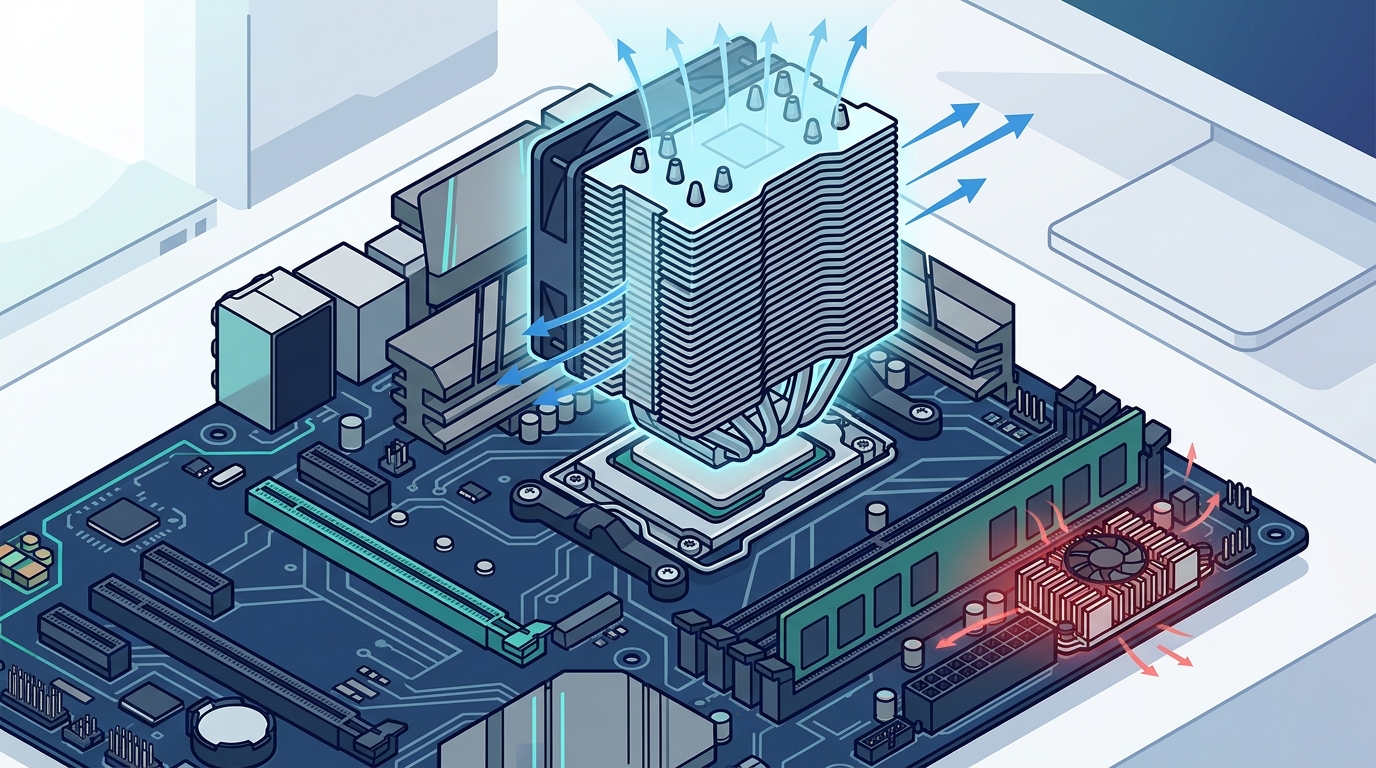
The motherboard chipset manages data flow between the CPU, memory, and peripherals. It is located near the PCIe slots on the motherboard. A chipset cooler is a passive or active heatsink attached to the motherboard chipset. It does not have a direct heat pipe connection to the CPU. Instead, it relies on ambient airflow or a small dedicated fan. The chipset generates less heat than the CPU. However, it still requires cooling to maintain stability.
Modern chipsets support high-speed interfaces like PCIe 5.0 and USB4. These interfaces generate localized heat. A dedicated chipset cooler ensures consistent performance. Some motherboards include large, aesthetic heatsinks with RGB lighting. Others rely on passive cooling. Active chipset fans are less common but available for extreme builds. Explore chipset cooler options for specific motherboard models. Proper chipset cooling prevents data transfer errors. It also extends the lifespan of the motherboard components.
AAAwave stocks essential cooling accessories for motherboard maintenance. These include thermal pads and small fans. The chipset cooler is often overlooked by builders. It is a critical component for overall system health. Neglecting it can lead to unstable storage speeds. It may also cause USB port failures under heavy load.
Key Differences in Operation
The primary difference lies in the heat output and cooling method. The CPU generates the most heat in the system. It requires aggressive cooling. The chipset generates moderate heat. It requires passive or low-profile active cooling. The CPU cooler is a large, complex assembly. The chipset cooler is small and compact. The CPU cooler connects to the power supply or motherboard headers. The chipset cooler often connects to a dedicated motherboard header. It may also draw power from the PCIe slot.
Installation complexity varies significantly. CPU coolers require careful mounting and thermal paste application. Chipset coolers are often pre-installed or snap-on. They require minimal effort to install. The CPU cooler affects case airflow. It directs hot air out of the case. The chipset cooler has minimal impact on overall airflow. It relies on case fans for heat removal.
Performance impact is also distinct. A failing CPU cooler causes immediate system crashes. A failing chipset cooler causes gradual performance degradation. It may lead to storage drive errors. It can also cause network interface instability. Both components are essential for a reliable build. However, the CPU cooler is the priority for thermal management.
Component Comparison Table
| Feature | CPU Cooler | Chipset Cooler |
|---|---|---|
| Primary Function | Dissipate processor heat | Dissipate motherboard chipset heat |
| Heat Output | High (100W to 300W+) | Moderate (10W to 30W) |
| Cooling Type | Air or Liquid | Passive or Small Fan |
| Size | Large (120mm to 360mm) | Small (40mm to 80mm) |
| Installation | Complex | Simple |
| Impact of Failure | System Crash | Performance Degradation |
Key Takeaways
- The CPU cooler handles the highest thermal load in the system.
- The chipset cooler manages data flow heat on the motherboard.
- CPU coolers use heat pipes and large fans for efficiency.
- Chipset coolers are often passive or use small fans.
- AAAwave offers a range of cooling accessories for both components.
- Neglecting chipset cooling can cause storage instability.
- Proper CPU cooling prevents thermal throttling and crashes.
Frequently Asked Questions
Do I need a chipset cooler if I have a good CPU cooler?
Yes, both are necessary. The CPU cooler protects the processor. The chipset cooler protects the motherboard. They serve different thermal zones. A good CPU cooler does not replace the need for chipset cooling.
Can I use a passive chipset cooler?
Yes, passive coolers are common. They rely on case airflow. They are silent and reliable. Active coolers are available for high-performance builds. They provide additional heat dissipation.
How do I install a chipset cooler?
Most chipset coolers snap onto the motherboard. They use thermal pads for connection. Ensure the pad contacts the chipset evenly. Connect the fan to the motherboard header if applicable.
What happens if the chipset overheats?
The system may experience storage errors. USB ports may fail. Network speeds may drop. The motherboard may shut down to protect itself. Proper cooling prevents these issues.
Are liquid coolers available for chipsets?
Liquid coolers for chipsets are rare. They are usually part of custom loops. Air cooling is sufficient for most chipsets. Dedicated chipset fans are the standard active solution.
Does AAAWave sell chipset thermal pads?
Yes, AAAWave stocks essential cooling accessories. This includes thermal pads for chipset installation. Ensure compatibility with your motherboard model.
Is chipset cooling important for gaming?
Yes, it ensures system stability. Gaming loads the CPU and storage. The chipset manages data transfer. Proper cooling prevents bottlenecks. It maintains consistent frame rates.
Upgrade Your Cooling Today
Optimize your system performance with the right cooling solutions. AAAWave offers premium CPU coolers and chipset coolers. Ensure your build is thermally efficient. Visit our cooling collection to find the perfect fit. Secure your hardware investment today.