

Modern computing relies on precise thermal management to maintain system stability and performance. While many enthusiasts focus heavily on the central processing unit, the motherboard's chipset often operates at dangerously high temperatures if left uncooled. According to recent industry thermal benchmarks, uncooled chipsets can exceed 90 degrees Celsius under load, leading to throttling or hardware failure. Understanding the distinct roles of these two cooling solutions is critical for building a reliable PC. This guide breaks down the mechanical, functional, and installation differences to help you make informed decisions for your build. (Computer Accessories amp PC)
What Is a CPU Cooler?
A CPU cooler is a dedicated thermal management system designed specifically to dissipate heat generated by the central processing unit. The CPU is often referred to as the brain of the computer because it handles the majority of complex calculations and instructions. When a processor runs intensive tasks like gaming, video rendering, or 3D modeling, it generates significant heat. If this heat is not removed, the processor will throttle its speed to prevent damage, resulting in poor performance.
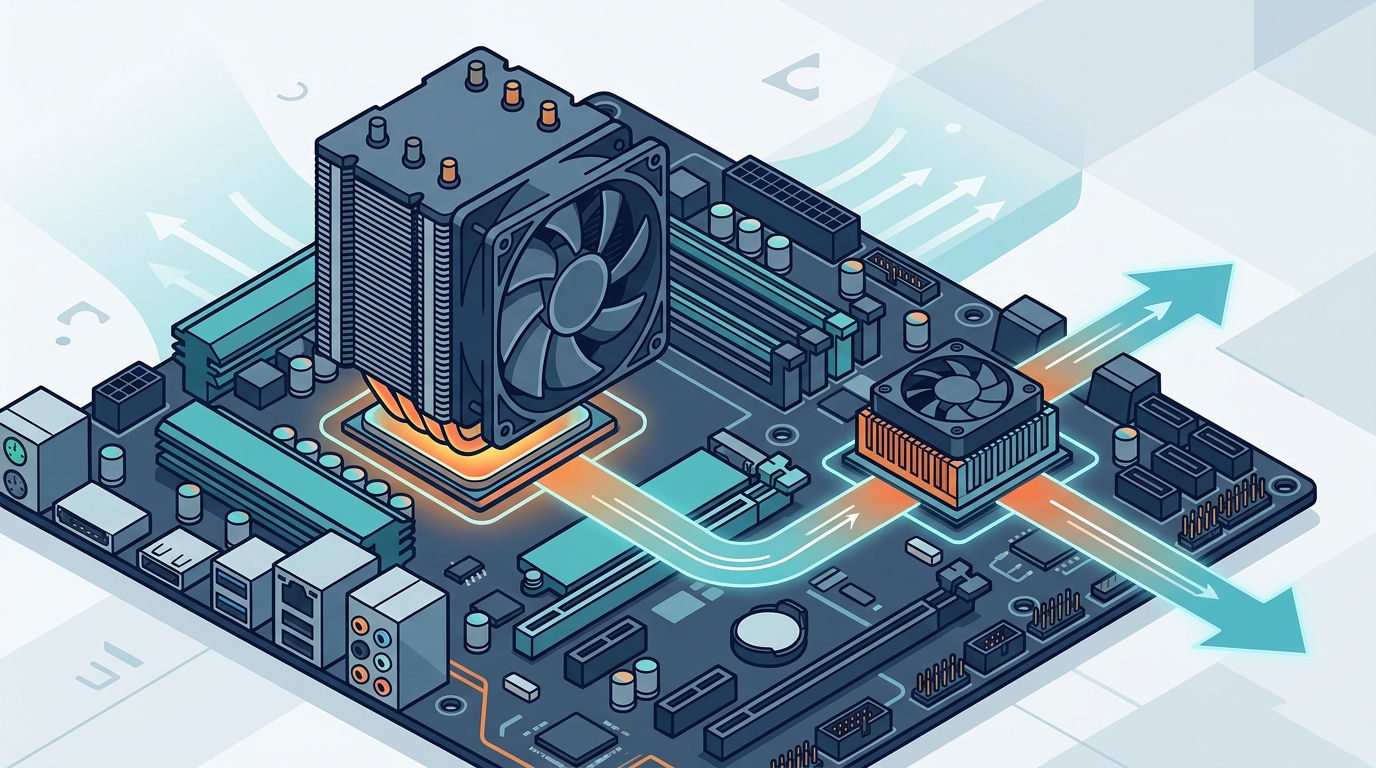
CPU coolers typically consist of a base plate, heat pipes, a heatsink, and a fan. The base plate makes direct contact with the CPU surface, absorbing heat. Heat pipes then transfer this thermal energy to the fins of the heatsink. The fan blows air through these fins, dissipating the heat into the surrounding case environment. Some high-end systems use liquid cooling loops, where a pump circulates coolant to a radiator for more efficient heat rejection.
At AAAwave, we offer a wide range of CPU cooling solutions, from air coolers to advanced liquid cooling systems. Choosing the right CPU cooler depends on your processor's thermal design power (TDP) and your case's airflow capabilities. For example, the ARCTIC Liquid Freezer III Pro is a popular choice for high-performance builds due to its exceptional cooling capacity.
What Is a Chipset Cooler?
A chipset cooler is a smaller, often passive or low-profile active cooling device mounted directly on the motherboard's chipset. The chipset, also known as the PCH (Platform Controller Hub) in modern Intel systems or the FCH (Fusion Controller Hub) in AMD systems, manages data flow between the CPU, memory, and peripherals. Unlike the CPU, the chipset does not perform complex calculations but acts as a traffic controller for data.
Despite generating less heat than a CPU, the chipset is located in a confined area on the motherboard, often beneath the graphics card. This location restricts airflow, causing heat to build up rapidly. A chipset cooler typically consists of a small heatsink with a tiny fan or a large passive heatsink that relies on case airflow. Some manufacturers integrate the chipset cooler into the motherboard's VRM (Voltage Regulator Module) cooling solution for a unified thermal approach.
While some motherboards include built-in heatsinks for the chipset, these are often inadequate for overclocked systems or high-performance builds. Adding a dedicated chipset cooler, such as those available in the chipset cooler collection at AAAWave, can significantly lower temperatures and improve system longevity.
Key Differences in Design and Function
The primary difference between a CPU cooler and a chipset cooler lies in their scale, thermal load, and mounting mechanism. The CPU generates far more heat than the chipset, requiring a larger surface area and more robust cooling solutions. CPU coolers are designed to handle TDPs ranging from 65 watts to over 350 watts for high-end processors. In contrast, chipset coolers typically manage heat loads of less than 20 watts.
Another key difference is the mounting method. CPU coolers use a backplate and retention mechanism that secures the cooler to the motherboard via four screws or clips. This ensures even pressure distribution across the CPU surface. Chipset coolers, on the other hand, are usually mounted using thermal pads and a single screw or clip. They sit directly on top of the chipset's integrated heat spreader (IHS).
Furthermore, CPU coolers often feature adjustable fan speeds and RGB lighting for aesthetic customization. Chipset coolers are generally simpler in design, focusing on functionality rather than aesthetics. However, some premium motherboard manufacturers include RGB-synced chipset coolers to match the rest of the build.
Compatibility and Installation
Installing a CPU cooler requires careful attention to compatibility. You must ensure that the cooler fits your CPU socket type, such as AM5 for AMD Ryzen 7000 series or LGA 1700 for Intel 12th to 14th generation processors. Additionally, you need to check the cooler's height clearance to ensure it fits within your PC case. Large air coolers may interfere with RAM modules or case side panels.
Installing a chipset cooler is generally simpler. Most chipset coolers are universal and fit a wide range of motherboards. However, you must verify that the cooler does not obstruct nearby components, such as the graphics card or M.2 SSD heatsinks. Some chipset coolers are designed to be low-profile to avoid these conflicts.
Thermal paste application is critical for both components. For the CPU, a pea-sized drop of thermal paste is applied to the center of the processor before mounting the cooler. For the chipset, thermal pads are typically used to bridge the gap between the cooler's base and the chipset's surface. Ensure that the thermal pads are the correct thickness to avoid improper contact.
Component Comparison Table
The following table summarizes the key differences between CPU coolers and chipset coolers to help you understand their distinct roles in a PC build.
| Feature | CPU Cooler | Chipset Cooler |
|---|---|---|
| Primary Function | Dissipates heat from the central processing unit | Manages heat from the motherboard's platform controller hub |
| Thermal Load | High (65W to 350W+) | Low (typically under 20W) |
| Mounting Mechanism | Backplate and retention clips/screws | Thermal pads and single screw/clip |
| Size and Scale | Large, with extensive heatsink fins | Small, low-profile design |
| Compatibility | Socket-specific (e.g., AM5, LGA 1700) | Generally universal across motherboard brands |
| Installation Complexity | High, requires precise alignment | Low, straightforward mounting |
Key Takeaways
- Thermal Management: CPU coolers handle high heat loads, while chipset coolers manage lower, but critical, thermal levels in a confined space.
- Design Scale: CPU coolers are significantly larger and more complex than chipset coolers, reflecting their role in processing power.
- Mounting Differences: CPU coolers use backplates for secure attachment, whereas chipset coolers rely on thermal pads for direct contact.
- Compatibility: CPU coolers must match specific socket types, while chipset coolers are often universal across different motherboard models.
- Performance Impact: Proper CPU cooling prevents throttling, while chipset cooling ensures stable data flow and peripheral connectivity.
- Installation Ease: Chipset coolers are generally easier to install, requiring less precision than CPU coolers.
- Brand Options: AAAwave offers a variety of cooling solutions to suit different build requirements and budgets.
Frequently Asked Questions
Do I need a chipset cooler if my motherboard has a built-in heatsink?
Many motherboards come with integrated chipset heatsinks. However, these are often passive and may not provide adequate cooling for high-performance builds or overclocked systems. Adding a dedicated chipset cooler can lower temperatures by several degrees, improving stability.
Can I use thermal paste instead of thermal pads for a chipset cooler?
While thermal paste can be used, thermal pads are preferred for chipset coolers because they accommodate slight variations in height between the cooler and the chipset. Pads also make installation and removal easier without leaving residue.
Are chipset coolers necessary for gaming PCs?
While not strictly necessary for all gaming PCs, chipset coolers are highly recommended for high-end builds. Gaming can generate significant heat in the motherboard area, especially when combined with a powerful graphics card. A chipset cooler helps maintain optimal temperatures.
How do I choose the right CPU cooler for my build?
Choose a CPU cooler based on your processor's TDP, your motherboard's socket type, and your case's clearance dimensions. Air coolers are reliable and cost-effective, while liquid coolers offer superior performance for high-TDP processors.
Can a chipset cooler be too loud?
Some chipset coolers with small fans can produce noise under load. However, many modern chipset coolers are designed to be quiet or even passive, relying on case airflow to dissipate heat without generating fan noise.
Do chipset coolers affect warranty coverage?
Installing a chipset cooler typically does not void your motherboard's warranty, as it does not involve modifying the board's circuitry. However, always check the manufacturer's warranty terms to ensure compliance.
What is the difference between an AIO and an air CPU cooler?
An AIO (All-In-One) liquid cooler uses a pump and radiator to dissipate heat, offering superior cooling performance for high-TDP CPUs. Air coolers use heat pipes and fans, providing reliable performance with lower maintenance and cost.
Conclusion
Understanding the differences between CPU coolers and chipset coolers is essential for building a high-performance and reliable PC. While the CPU cooler handles the bulk of thermal management, the chipset cooler plays a crucial role in maintaining system stability. By choosing the right cooling solutions for each component, you can ensure optimal performance and longevity for your build. Explore the extensive range of cooling products at AAAwave to find the perfect fit for your needs. Contact our support team for personalized recommendations and expert advice on your next PC build.